

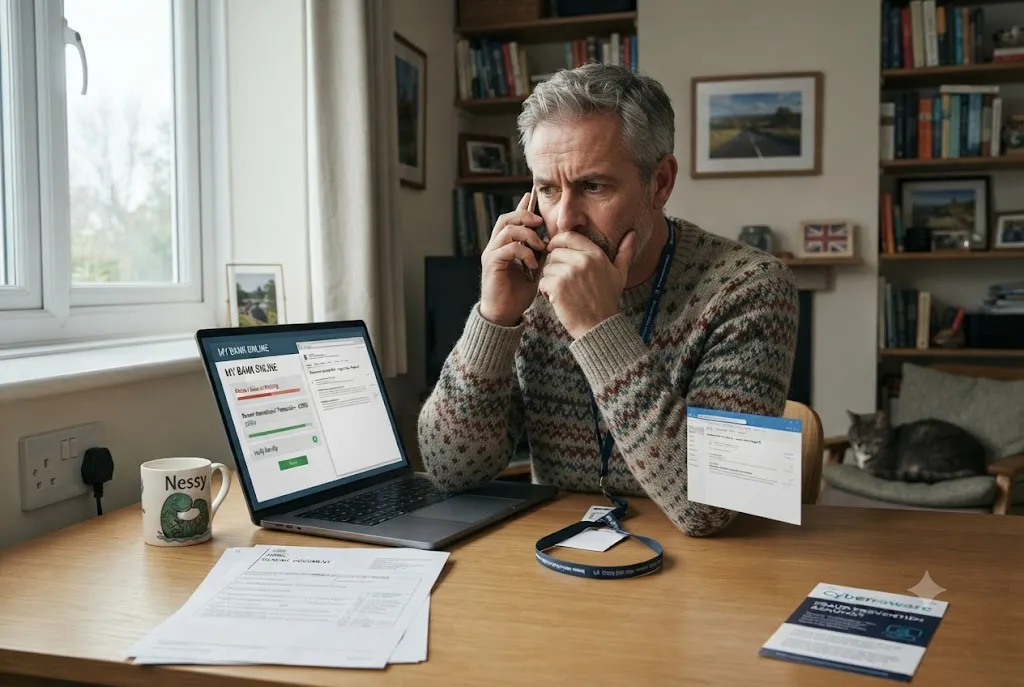
Impersonation fraud is one of the fastest-growing forms of financial crime in the UK. Criminals pretend to be trusted individuals, organisations, government departments, banks, employers, or service providers to convince victims to hand over money, sensitive information, or account access.
Modern impersonation scams are often highly convincing. Fraudsters use realistic emails, cloned websites, spoofed phone numbers, social media profiles, and professional communication techniques to appear legitimate. Understanding how these scams work is essential for protecting yourself, your family, and your finances.
What Is Impersonation Fraud?
Impersonation fraud occurs when a criminal falsely represents themselves as another person or organisation to gain trust and obtain money, information, or access to accounts.
The scammer may pretend to be:
- A bank representative
- A government official
- A police officer
- An employer or recruiter
- A utility company employee
- A family member
- A technology support specialist
- A cryptocurrency investment adviser
The objective is usually financial gain, identity theft, or account compromise.
How Impersonation Scams Work
Most impersonation scams follow a similar pattern.
- The fraudster establishes credibility.
- They create a sense of urgency or fear.
- They request money, personal information, or account access.
- The victim complies believing the request is genuine.
Because scammers often possess partial personal information obtained from previous data breaches or public sources, their communications can appear remarkably authentic.
Common Types of Impersonation Fraud in the UK
Bank Impersonation Fraud
One of the most common forms of impersonation fraud involves criminals pretending to represent banks or financial institutions.
Victims may receive:
- Phone calls about suspicious account activity
- Text messages requesting account verification
- Emails containing fake login links
- Requests to transfer funds to a “safe account”
Legitimate banks rarely ask customers to move money to another account for security reasons.
Government Agency Impersonation
Fraudsters frequently pretend to represent government departments.
Popular examples include:
- Tax-related scams
- Benefit payment scams
- National Insurance scams
- Winter payment fraud messages
Many of these schemes overlap with HMRC and DWP scams, which target UK residents through phone calls, emails, and text messages.
Recruitment and Employment Fraud
Fake recruiters and employers often use impersonation tactics to steal personal information or money.
Scammers may copy real company branding and advertise non-existent vacancies.
Individuals seeking employment should also review our guide on job scams in the UK to understand recruitment-related fraud risks.
Technical Support Scams
Fraudsters may claim that a victim’s computer, smartphone, or online account has been compromised.
They then encourage the victim to install software, reveal passwords, or make payments for unnecessary services.
Cryptocurrency Investment Impersonation
Some criminals impersonate financial advisers, investment firms, or cryptocurrency experts.
Victims are persuaded to invest in fraudulent platforms or transfer digital assets.
These scams often lead to significant financial losses and may require specialist assistance, as discussed in our guide to crypto scam recovery UK.
What Is a Fraudster?
A common question among fraud awareness campaigns is: what is a fraudster?
A fraudster is an individual or organised criminal who deliberately deceives others for financial gain or personal benefit. Fraudsters may operate alone, but many modern scams are conducted by organised criminal networks that target thousands of victims simultaneously.
Professional fraudsters often specialise in social engineering techniques that manipulate emotions such as fear, trust, urgency, or excitement.
Warning Signs of Impersonation Scams
Although every scam is different, several warning signs appear frequently.
Unexpected Contact
Be cautious if you receive unsolicited calls, emails, or messages requesting personal information.
Pressure to Act Quickly
Scammers often create urgency to prevent victims from verifying information.
Requests for Confidential Information
Legitimate organisations rarely request passwords, PINs, or security codes through email or text messages.
Unusual Payment Requests
Requests for cryptocurrency transfers, gift cards, or payments to unfamiliar accounts should raise immediate concerns.
Threats or Fear-Based Tactics
Fraudsters may claim that accounts will be suspended, legal action will be taken, or benefits will stop unless immediate action is taken.
Fraud Impersonation Through Technology
Modern technology has made fraud impersonation more convincing than ever before.
Common techniques include:
- Email spoofing
- Caller ID spoofing
- Fake websites
- Artificial intelligence voice cloning
- Social media impersonation
- SMS phishing attacks
These technologies can make communications appear genuine even when they originate from criminals.
What Should You Do If You Suspect Impersonation Fraud?
If you suspect an impersonation attempt, stop communication immediately and verify the organisation independently.
Recommended actions include:
- Contact the organisation using official contact details.
- Do not click links in suspicious messages.
- Avoid sharing personal information.
- Monitor financial accounts.
- Change compromised passwords.
- Enable multi-factor authentication.
Verification is often the most effective way to identify fraudulent communications.
What If You Have Already Sent Money?
If you have transferred money after responding to an impersonation scam, immediate action is essential.
You should:
- Contact your bank immediately.
- Preserve all communications.
- Report the incident.
- Monitor accounts for additional activity.
- Seek professional advice where necessary.
Victims may also benefit from reviewing our guide on how to get money back from a scammer, which explains potential recovery options.
Reporting Impersonation Fraud in the UK
Reporting fraud helps authorities investigate criminal activity and identify emerging scam trends.
For official guidance on fraud reporting and prevention, visit Action Fraud.
When making a report, include:
- Phone numbers used
- Email addresses
- Payment details
- Screenshots
- Website URLs
- Communication records
Providing comprehensive information can assist investigations and support wider fraud prevention efforts.
How to Protect Yourself Against Impersonation Fraud
Prevention remains the strongest defence against impersonation scams.
- Verify requests independently.
- Be cautious of urgency.
- Never share security credentials.
- Keep software updated.
- Use strong passwords.
- Enable multi-factor authentication.
- Educate family members about common scams.
Developing scepticism toward unexpected requests can significantly reduce the likelihood of becoming a victim.
Final Thoughts
Impersonation fraud continues to evolve as criminals adopt increasingly sophisticated techniques to deceive victims. Whether the scam involves a bank, government agency, employer, or investment opportunity, the core objective remains the same: gaining trust to steal money or information.
By understanding how impersonation scams operate, recognising warning signs, and verifying communications independently, UK consumers can significantly reduce their exposure to fraud and protect themselves against financial loss.
