

Sometimes, the right background is all it takes to make a good image great. However, producing visually beautiful and unique backgrounds can be intimidating without the proper tools. That is where AI Ease comes in to take your creative projects to the next level.
AI Ease is not just about removing backgrounds; it’s about discovering infinite potential from your images. This free AI-powered tool allows you to let your imagination run wild, be it for social media, personalized cards, or artistic visuals. The creative potential is limitless with pre-designed templates and text-to-image features.
In this guide, we take you on a virtual journey of such unique and creative applications of AI Ease backgrounds that your imagination can easily come to life! So, let’s get in and find out how to make images transform so easily!
Why AI Ease Is Perfect for Creative Projects
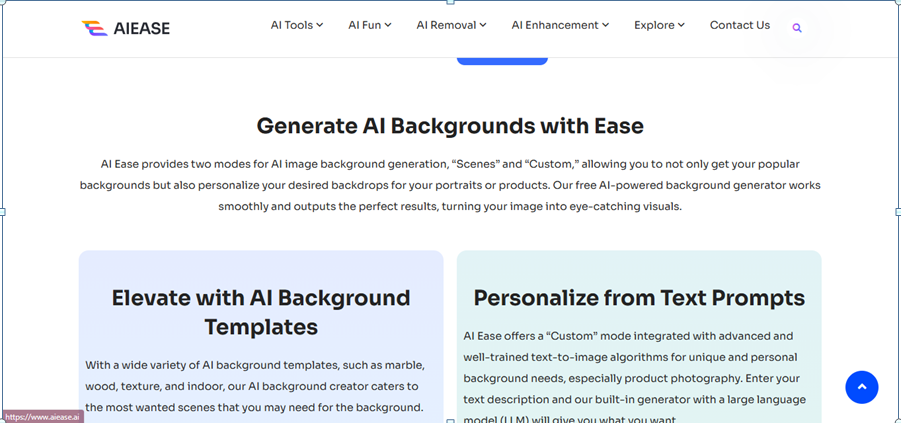
AI Ease isn’t just a AI background maker; it’s a powerful creative unleashing tool. Whether you’re working on professional designs or personal projects, here’s why AI Ease is the perfect choice for turning your ideas into reality:
- Limitless Design Potential
AI Ease’s text-to-image customization allows you to create any background you can imagine. Just tell the tool what you’re thinking and it becomes a reality in seconds: dreamy gradients, intricate textures. There is no limit but only your imagination.
- Ready-to-Use Templates
AI Ease has a lot of pre-designed templates for quick projects such as marble, wood, solid colors, etc. Using these professional grade options, you can save so much time and achieve stunning results that look just so polished and professional.
- Effortless and User-Friendly
No design skills? No problem! Anyone can make outstanding visuals with AI Ease’s intuitive interface. It is simple, with just three steps: upload, generate, and download and will take away the concern of the technical aspects to give you room to focus on creativity.
- Completely Free
Spending money on expensive design tools is a no-brainer when AI Ease delivers the same professional quality results for free. It’s perfect for creators of any budget, as it gives you unlimited access to power features without watermarks or hidden fees.
This is the perfect tool to explore creative projects of all kinds with these features. Now, let’s dig into some fun ways to use it!
Creative Ways to Use AI Ease AI Backgrounds
- Design Unique Social Media Content
AI Ease simplifies this whole process, making it easy to create visuals that people not only see but notice. Why not replace boring backdrops with something fun like bold gradients, abstract designs, or themed patterns on your Instagram, Facebook, or YouTube content? Using AI Eas,e you can make your posts look like a pro to get more likes and shares.
- Elevate Digital Marketing Campaigns
With AI Ease, marketers can create stunning visuals for use in ads and promotions. You can customize backgrounds to match your campaigns’ themes and create content that speaks to your audience and engages them. Whether it’s a seasonal holiday ad or a sleek product launch, AI-created backgrounds add to the professional look of your ads.
- Create Personalized Greeting Cards and Invitations
With AI-generated backgrounds, make holiday cards, party invites, or thank you notes special. AI Ease brings a personal, creative element to your designs from a delicate floral design to a festive winter scene. This results in a unique and memorable card, apart from the store-bought options.
- Boost Branding Efforts
Branding is about consistency, and the good news is, AI Ease has got you covered here. Ensure all of your marketing materials look professional and cohesive by generating backgrounds to be used in your brand colors or even signature style. With more polished visuals, you gain an advantage in your visuals and also have the ability to really drive your brand identity across platforms.
5. Bring Creativity to E-Learning Materials
Give your presentations or course materials a professional look with a visually appealing template background. With AI Ease, you can tailor your designs to make educational content more eye-catching and slightly professional. Visuals that appear modern and professional will keep students or audiences more attentive.
- Transform Personal Photos into Art
With AI Ease, you can turn your personal photos into unique pieces of art! Choose to swap plain backgrounds with scenic views, artistic patterns, or dreamy gradients to make memorable keepsakes or cool social media posts. With just a few clicks you can turn ordinary images into extraordinary works of art to start conversations.
These creative uses allow you to use AI Ease to create mind-blowing visuals that are as boundless as your imagination.
Pro Tips for Maximizing Creativity with AI Ease
1. Experiment with Text Prompts
If you are using AI Ease’s text-to-image feature, be as specific as possible in your descriptions. The more detailed prompts such as ‘a sunset with pink and orange hues’ or ‘a wooden texture with subtle patterns’ give you more accurate and unique backgrounds. So don’t be afraid to get creative with your ideas!
- Layer and Combine Backgrounds
Layer over your designs with overlays or extra textures using AI-generated backgrounds. In fact, you can mix a marble background with a gradient overlay to achieve a more dynamic effect. When we combine styles, there are no limits to what we can do with it.
- Match Colors to Your Theme
The colors of your background should always match the rest of the theme, whether for a brand, for a post on social media or even for your own project. Customizing colors is easy with AI Ease and helps you keep the look consistent and aesthetically pleasing.
- Test Multiple Styles
Don’t limit yourself to the first background you make, either! You can use AI Ease to come up with many options and then select the one that works best for your image. It’s all about trying different textures, colors, and designs to come up with the unexpected and the exciting.
- Use High-Quality Images
Use high-resolution images first to get the best results. With clear and sharp photos, your subject looks like it is on a new background with clean edges, making it look natural and professional. Also, avoid low-quality ups, these may actually hurt the final visual.
Following these tips will allow you to get the best out of AI Ease and produce astonishing graphics for any project.
Transform Your Creativity with AI Ease Today!
There’s no reason to be limited by complicated tools or expensive software when you can easily create gorgeous visuals. With AI Ease, you have the power to create professional quality backgrounds for any project, from social media, product photos, personal keepsakes, or marketing campaigns—you get it free of charge.
AI-Ease features an easy interface with limitless customizable options and high-resolution results, which makes it easy for everyone to play around. This tool is your one-stop solution to generate quick, stunning, and professional visuals whether you are a beginner or an advanced designer.
Raise your design game now! Go and try AI Ease today and explore the future of image editing. Fast, free, and as creative as you are.
As robotics technology continues to evolve, companies are exploring innovative applications beyond traditional manufacturing, leading to exciting developments in various fields. In this context, Unitree Robots Break Into Entertainment, Sports and Industry – Company Enters New Phase of Robotics Integration highlights how Unitree is at the forefront of this transformation, integrating cutting-edge robots into entertainment and sports arenas.
As we stand on the brink of a new technological era, exciting advancements are set to reshape our lives in unimaginable ways. In this article, we will explore the future of innovation and reveal what to expect in the coming years with Tech in 2025: Discover Amazing Innovations Coming Soon.
